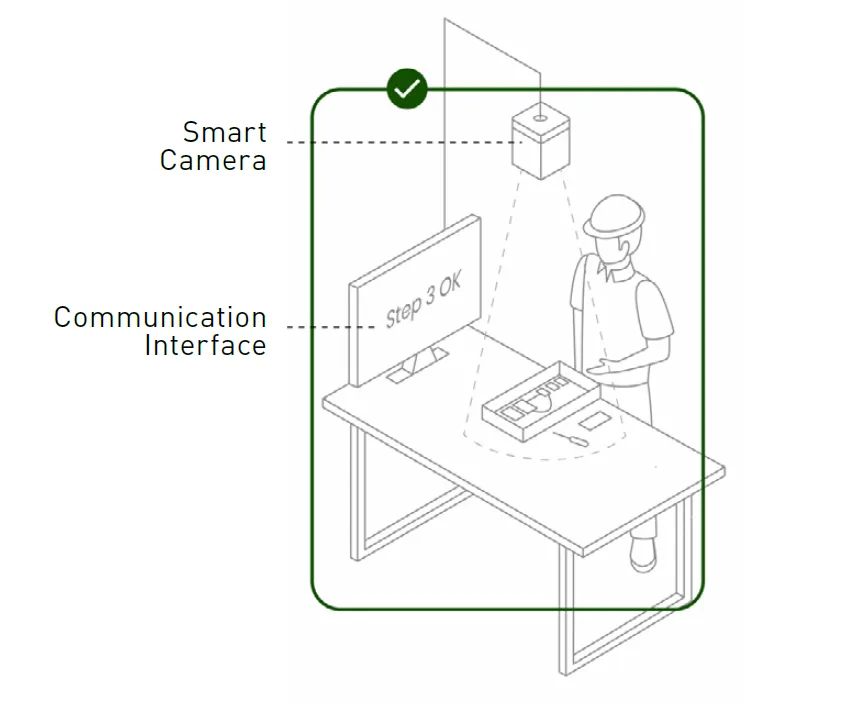
Smart Factory Assembly

Camera Solutions for Assembly Verification and Quality Inspection

In manual and semi-automated assembly, cameras provide certainty. Start with a webcam, expand with I/O cameras for OK/NOK checks, or use smart cameras for live guidance and step-by-step traceability.

Camera Solutions for Assembly
SmartCamera Functionality

Beyond basic verification, camera solutions strengthen quality control at the workstation. They capture each assembly step and convert visual input into actionable production data. Operators receive real-time feedback, while supervisors get audit-ready documentation that can be stored, shared, and reviewed anytime.

Camera-based checks also improve training and process reliability. By recording every step, deviations become visible earlier and best practices can be reinforced across teams. Combined with our ELAM Solutions platform, this creates a closed feedback loop: operators are guided and verified in real time, while management gains consistent reporting and traceable proof of assembly quality.
Camera Options: Identify, Verify, or Certify

Smart Factory Assembly Webcam Icon

Webcam

Input Output Camera Icon

I/O Camera

Bossard Smart Camera Solutions Icon

SmartCamera

A man seated at a desk, focused on his computer screen, engaged in work.

Webcam Use Cases

  • Barcode/QR scans
  • Pictures for product-related quality reports and end-of-line checks
  • Picture documentation

I/O Camera Use Cases

  • Part presence/orientation
  • Completeness checks

SmartCamera Use Cases

  • Deliver real-time feedback
  • Traceable, step-by-step proof for quality and audit readiness

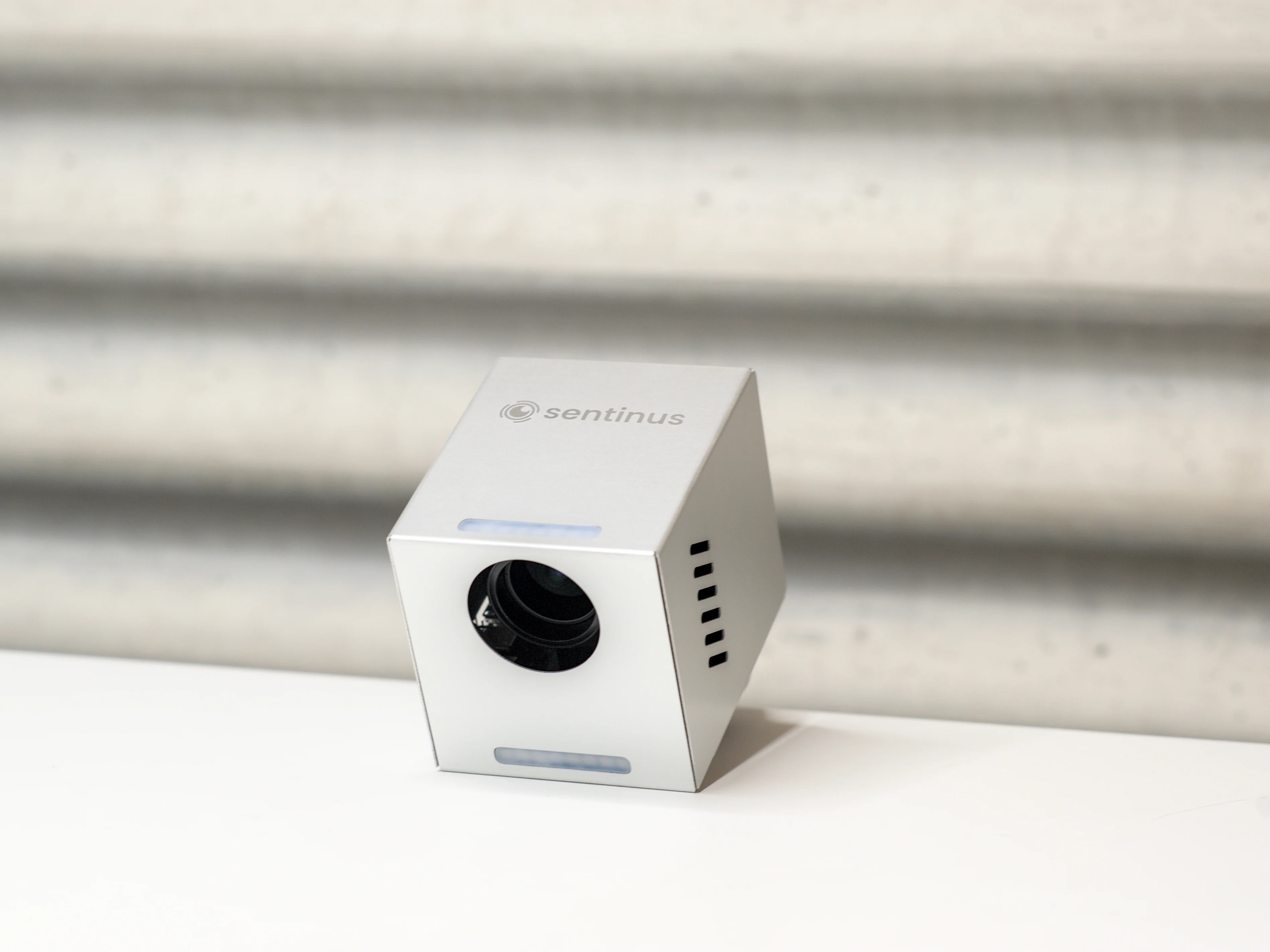
Silver cube-shaped smart camera with a lens, labeled "sentinus," on a white surface against a textured gray background.

Bossard SmartCamera

Integrated with ELAM Solutions, Bossard SmartCameras verify assembly steps, detect defects, and ensure quality. They increase efficiency and reduce errors, which makes them invaluable for quality assurance and production optimization.

Our SmartCamera uses computer vision to recognize hands, tools, parts, labels, codes, and assembly states in real time. It overlays guidance and checks each step against configurable rules, releasing or stopping the process automatically. All results are logged into ELAM Solutions for full traceability and continuous improvement. Running on-device, the camera minimizes latency while scaling easily across stations and variants.

SmartCamera Features and Use Cases

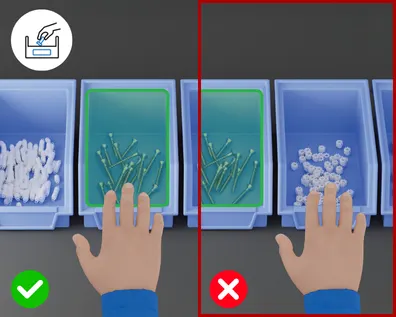
Picking

Comparison showing correct picking with green checkmark versus incorrect picking with red X mark

What is detected?

  • Whether the hand reaches into the correct bin
  • Whether the part pick is correctly confirmed
  • Multiple picks can also be queried

How does it work?

  • The camera recognizes the hand movement and locates it at the correct bin.
  • The process is only released when the hand remains briefly in the correct area.
  • The “trigger area” can be configured easily in a web app.

Goal/Benefits

  • Avoidance of mispicks and wrong parts
  • Immediate feedback increases operator confidence and trust
  • Less scrap, less rework, lower costs

Overlay
Comparison showing correct picking with green checkmark versus incorrect picking with red X mark

Placing

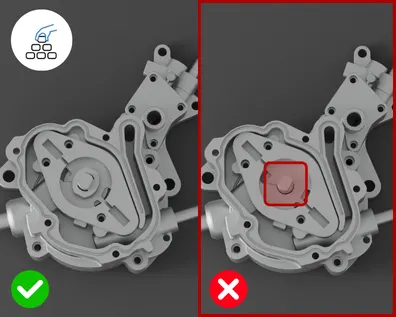
Two metal engine parts side by side: left image with green checkmark shows correct placing, right with red X shows wrong placing with highlighted flaw.

What is detected?

  • Whether the intended component was placed or a step was skipped

How does it work?

  • The camera distinguishes three states: previous, current, and next step.
  • The process continues only if the current step is correctly recognized.
  • If a step is skipped, the process stops automatically.

Goal/Benefits

  • Ensures that no part is forgotten
  • Faster feedback during the process instead of at final inspection
  • Reduction of complaints and rework

Overlay
Two metal engine parts side by side: left image with green checkmark shows correct placing, right with red X shows wrong placing with highlighted flaw.

OK/NOK Check

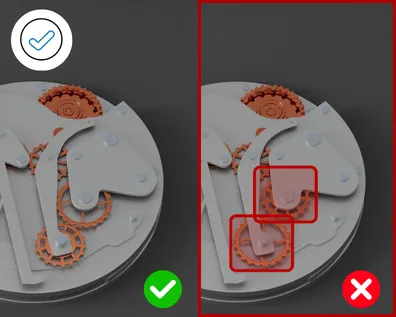
Comparison showing correct and incorrect assembly, demonstrating an OK-NOK check with Bossard SmartCamera.

What is detected?

  • Whether a part is assembled correctly
  • Whether deviations or errors are present
  • Different known error conditions

How does it work?

  • Vision models classify states automatically as OK or NOK.
  • Results appear immediately on the screen or in ELAM.

Goal/Benefits

  • Errors are detected immediately and can be corrected at once
  • No defective product proceeds further in the process
  • Complete quality documentation

Overlay
Comparison showing correct and incorrect assembly, demonstrating an OK-NOK check with Bossard SmartCamera.

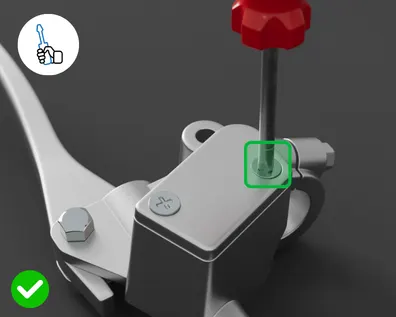
Tool Usage

Gray mechanical device with red knob on top and green square button, demonstrating correct tool usage as measured by the Bossard SmartCamera.

What is detected?

  • Whether the correct tool was used
  • Whether the operation actually took place

How does it work?

  • The camera visually identifies the tool.
  • Movements and interactions are checked.
  • If used incorrectly, the process remains locked.

Goal/Benefits

  • Safety in critical processes such as screwing or bonding
  • Guaranteed correct tool usage without additional devices
  • Complete traceability

Overlay
Gray mechanical device with red knob on top and green square button, demonstrating correct tool usage as measured by the Bossard SmartCamera.

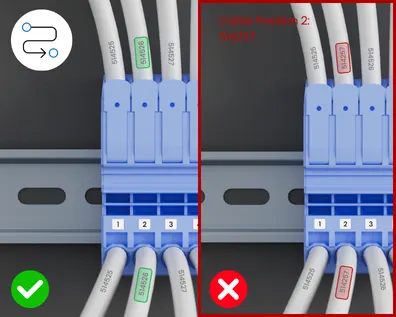
Cable Routing

Split image showing correct and incorrect cable routing. Left side has green checkmark, right side has red X.

What is detected?

  • Whether the cable is inserted into the intended connector
  • The operator is shown the intended connection by recognizing the cable label.
  • In-process control, not only at the end

How does it work?

  • The camera reads the cable label and visualizes the correct position.
  • It detects the correct socket position.
  • The process only continues when the cable and connector position match.

Goal/Benefits

  • Avoidance of costly wiring errors
  • Documentation of every single wiring step
  • Quality inspection directly in the process
  • Reduced rework

Overlay
Split image showing correct and incorrect cable routing. Left side has green checkmark, right side has red X.

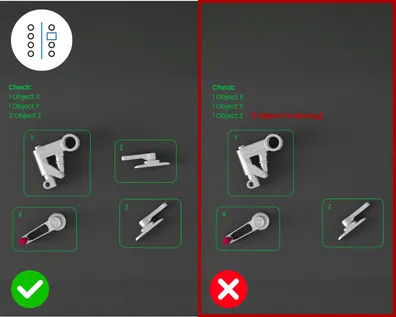
Quantity Inspection

Split image showcasing SmartCamera quantity inspection. Left side with green checkmark and the right amount of items, right side with red X indicating a missing item.

What is detected?

  • Whether the correct number of parts is present
  • Whether components were inserted twice or not at all

How does it work?

  • The system counts parts automatically.
  • Comparison with target quantities stored in ELAM

Goal/Benefits

  • Complete deliveries no missing or duplicate parts
  • Higher customer satisfaction and fewer complaints
  • Reliability in packaging and assembly

Overlay
Split image showcasing SmartCamera quantity inspection. Left side with green checkmark and the right amount of items, right side with red X indicating a missing item.

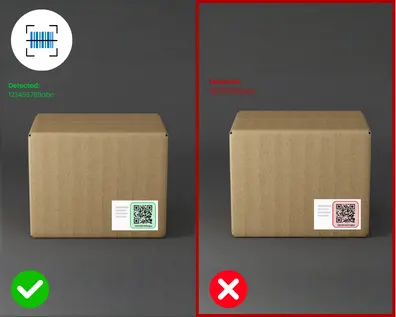
Barcode and QR Code

Comparison of two cardboard boxes with QR code labels: left box marked correct with green checkmark, right box marked incorrect with red X.

What is detected?

  • Barcodes and QR codes on components or packaging are automatically detected and digitized.
  • Unique identifications for traceability

How does it work?

  • The camera reads codes automatically.
  • Comparison with predefined reference code

Goal/Benefits

  • Full traceability.
  • No manual data entry needed – enabling 100% quality control
  • Faster and more digital documentation

Overlay
Comparison of two cardboard boxes with QR code labels: left box marked correct with green checkmark, right box marked incorrect with red X.

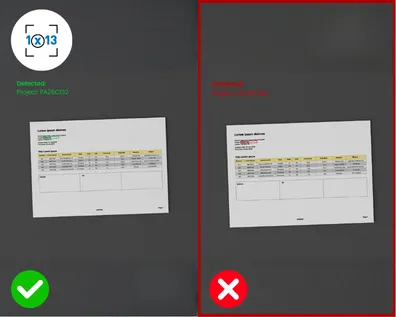
OCR Recognition

Side-by-side comparison showing correct document capture with green checkmark versus incorrect capture with red X mark

What is detected?

  • Printed texts on labels, delivery notes or documents
  • Serial numbers, manufacturing and quality data

How does it work?

  • OCR converts text directly into digital data
  • Reliable even on difficult surfaces
  • Comparison with the predefined reference codes

Goal/Benefits

  • No manual entry – fewer errors
  • Efficient and fast documentation
  • Easy archiving of production data

Overlay
Side-by-side comparison showing correct document capture with green checkmark versus incorrect capture with red X mark

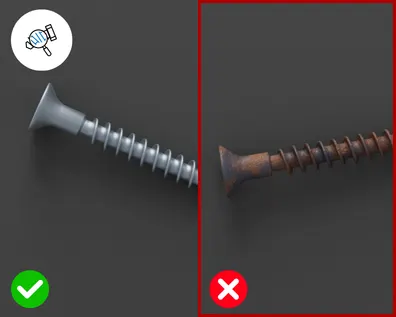
Defect Detection

Comparison of two screws: left shows proper screw with green checkmark, right shows incorrect rusty screw with red X.

What is detected?

  • Surface defects such as scratches, cracks, or dents
  • Color deviations or wrong/missing components

How does it work?

  • The camera compares the actual state with standard references.
  • Defective parts are detected immediately and the process is stopped.

Goal/Benefits

  • 100% real-time quality control
  • Less scrap and fewer complaints
  • No defective products

Overlay
Comparison of two screws: left shows proper screw with green checkmark, right shows incorrect rusty screw with red X.

Already using cameras in your assembly?

No problem, our solution is flexible. Whether you work with our product portfolio or prefer to use your favorite brands, we'll help you set up the best camera system for you. Many leading manufacturers are already integrated.

Are You Ready to Go?

Learn more about assembly digitalization. Consult our experts today.

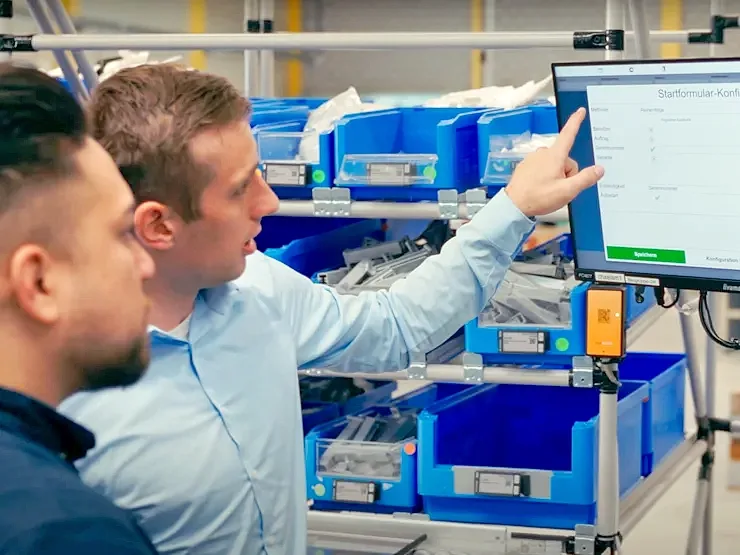
Two men at a screen point to the elam solutions shown

Contact Us for a Free Demo

Please complete the form. *fields are required.